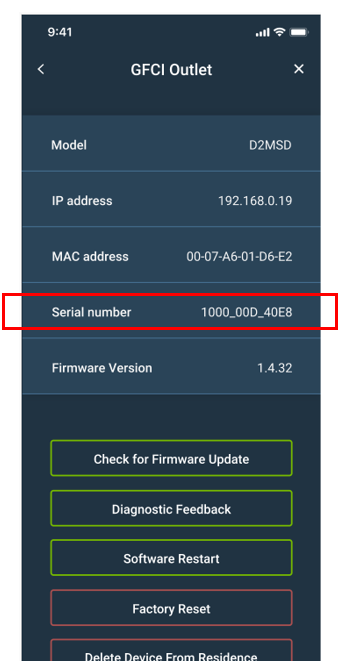
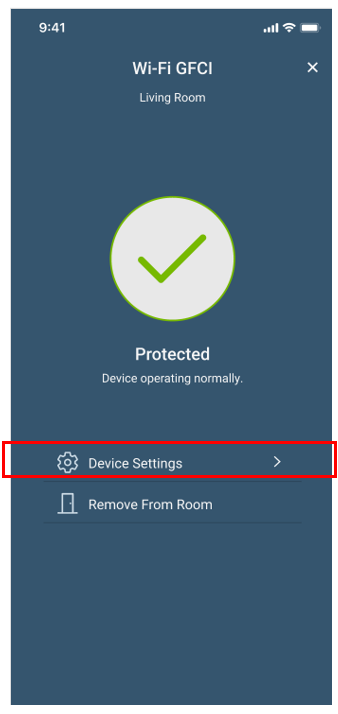
When working with Technical Services, you may be asked to provide the serial number for your Smart GFCI Outlet. You can find the serial number in the My Leviton app, by clicking on the 3 dots [⋮] in the right upper corner of the card with the Smart GFCI, then choose the device settings:
Where can I find the serial number of the Smart GFCI Outlet?
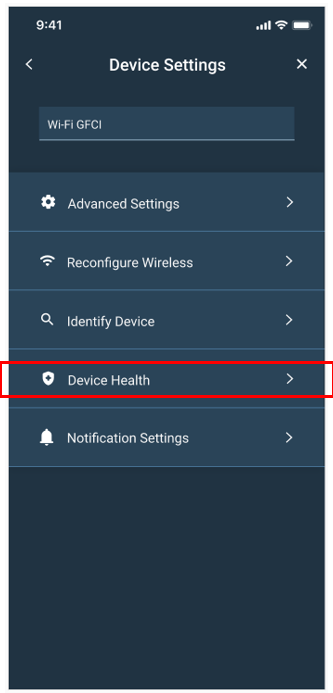
and finally, Device Health:
Your serial number can be located on this page: