Loading...

How do I receive notifications from my Smart Load Center?

The Leviton Smart Load Center can send notifications for the entire load center or individual breakers. 

Notifications are configured in the Load Center Settings.

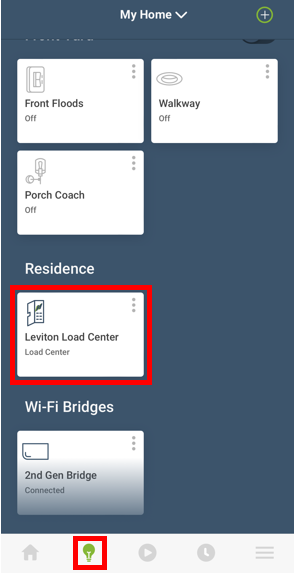
From the Device Screen (Lightbulb Icon) scroll to the bottom and choose the Load Center Icon.

Notification

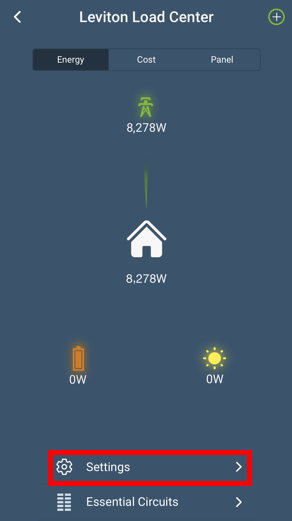
Choose Settings:

Notification

Global Settings For The Smart Load Center:

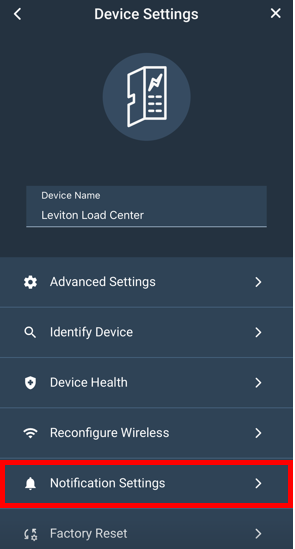
Choose Notification Settings:

Notification

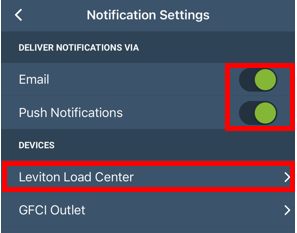
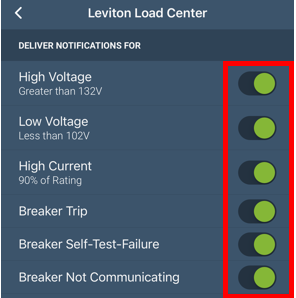
Choose how you would like notifications to be sent, either via email and/or pop up messages, on your mobile device (Push Notifications). To select the type of messages you would like to receive, choose Leviton Load Center.

Notification

Each notification can be turned on or off.

Notification

Settings For individual Smart Breakers:

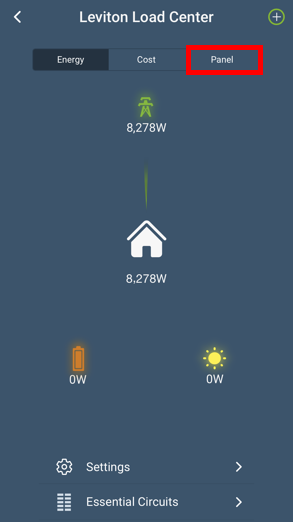
Return to the Load Center Energy screen. 

Choose Panel:

Notification

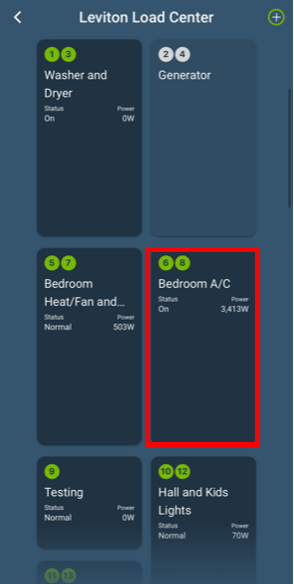
Choose the Smart Breaker:

Notification

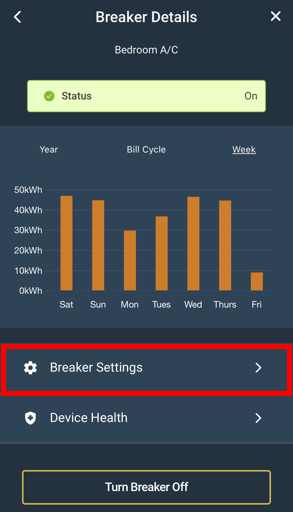
Choose Breaker Settings:

Notification

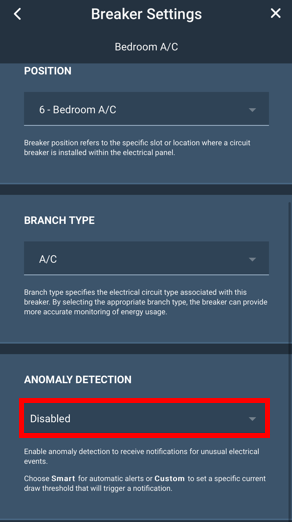
Anomaly Detection provides alerts and notifications for unusual electrical activity, including when and why a circuit trips, high or low voltage events, if the breaker fails a self-test, or if communication is lost.  There are two approaches towards determining when notifications occur.  Smart Anomaly Detection uses the branch type to automatically monitor for unusual activity.  A Custom Notification is used to manually set thresholds which will trip a notification.  Both types of notifications are useful for bringing attention to activities such as a freezer not running, or an HVAC system running for too long.

Choose the Anomaly Detection drop down.:

Notification

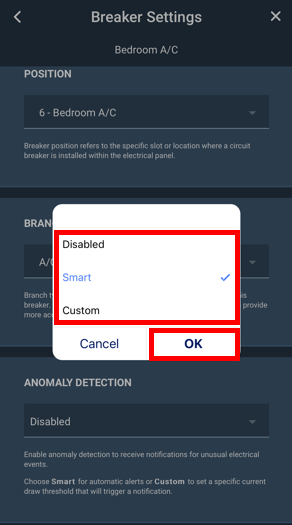
Use the selection box to choose between Smart and Custom notification.  Smart will automatically set the anomaly detection parameters based on normal activity and the branch type.

Notification

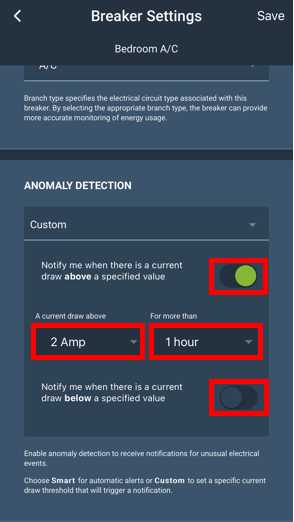
Custom notifications allows the user to set the duration the breaker needs to record excess or no current as well as the the length of time the condition must remain true prior to a notification.

Notification

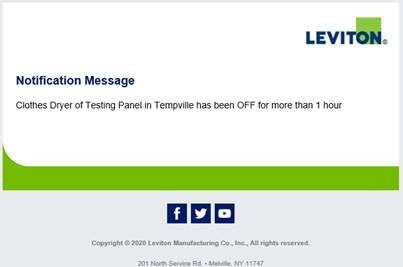
Here is an example of an e-mail notification:

Notification