Yes. Decora Smart Matter devices do work with Orbi Wi-Fi networks, but the configuration of the Orbi must be modified.
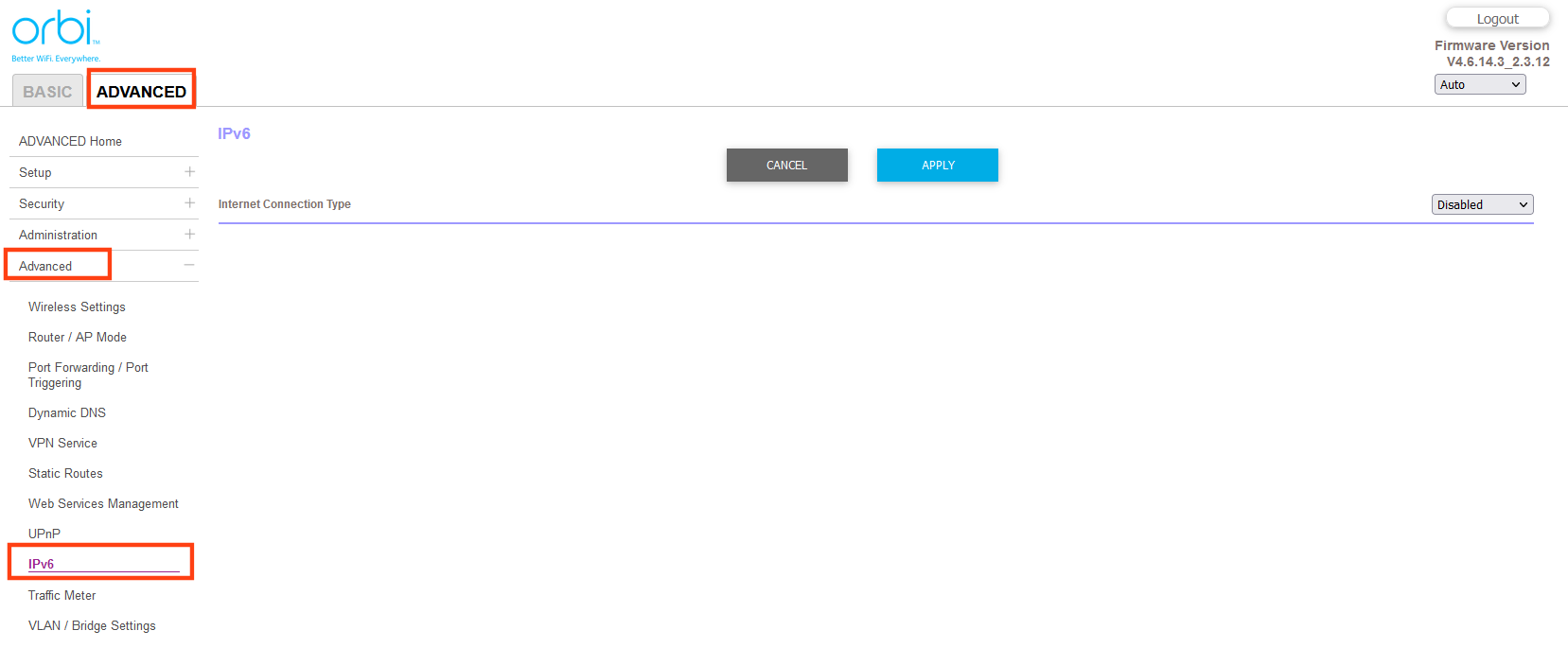
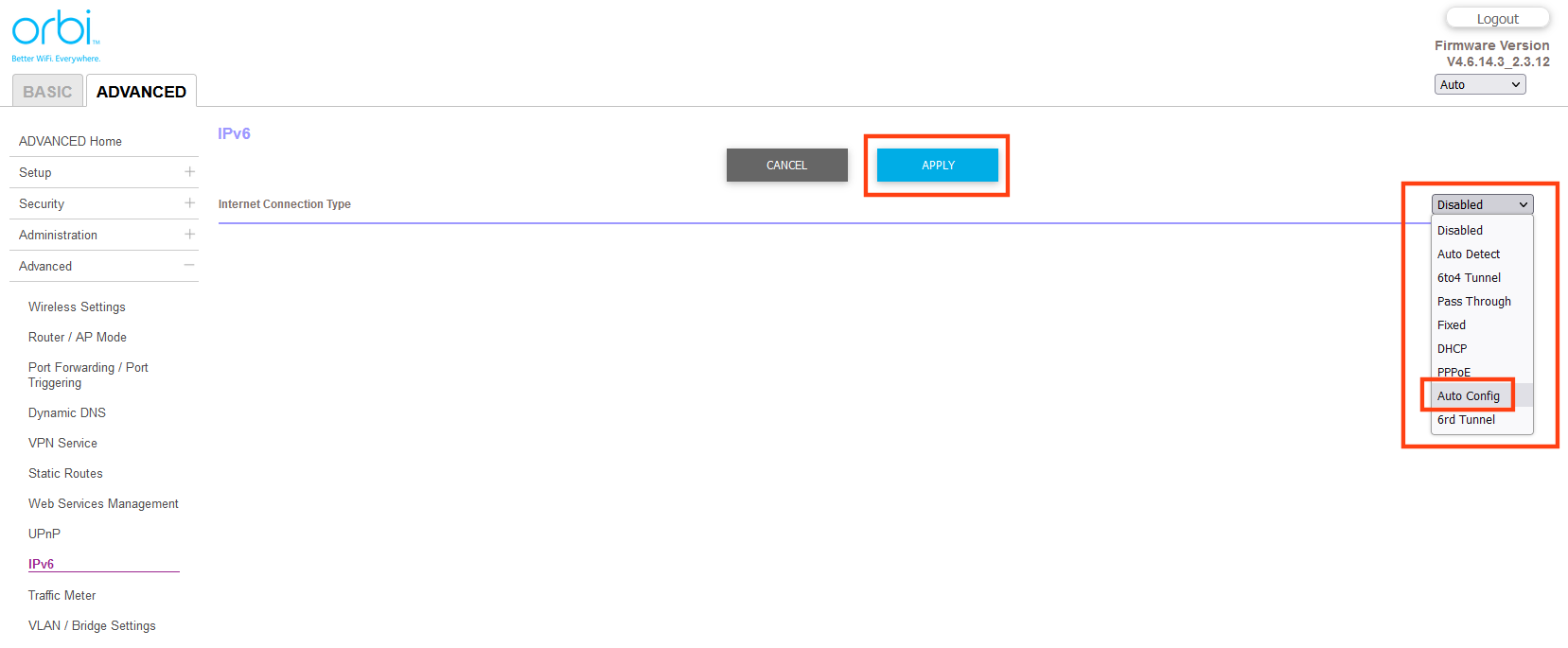
Matter requires IPv6. By default, Orbi routers have IPv6 disabled. Please follow the instructions below to enable IPv6 on your Orbi router, and then attempt to add your devices to the Matter hub/controller.
- Launch an Internet browser from a computer or wireless device that is connected to the Orbi network.
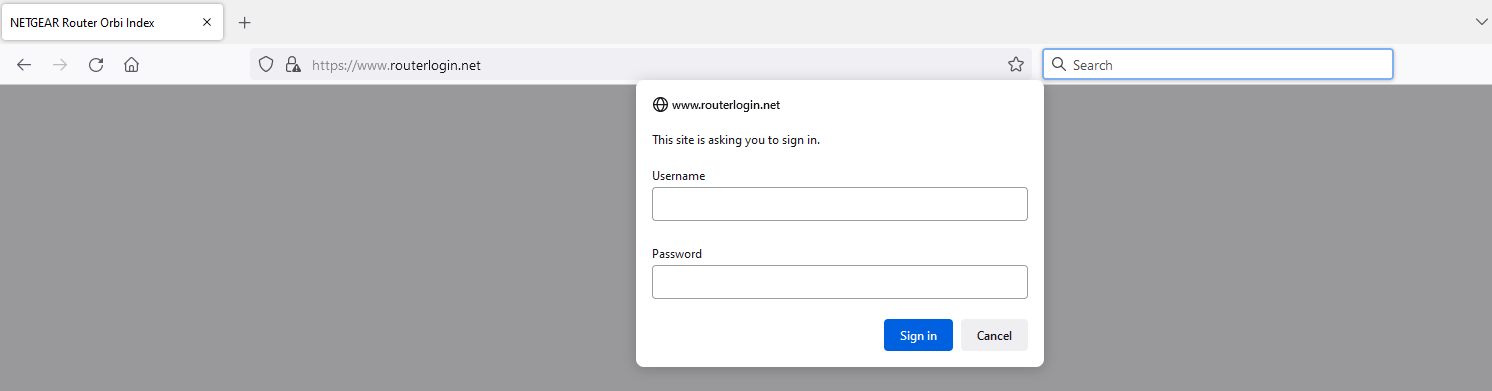
- Type http://www.routerlogin.net or http://www.routerlogin.com.
A login screen displays. - Enter the router Username and password.
The Username is admin. The default password is password. The Username and password are case-sensitive.
The BASIC Home screen displays.