
The LWHEM has 3 ports for use with LSMMA Current Transformers. Note, port 1 is the furthest away from the power leads. Please consult the LWHEM Get Started Guide for proper installation.
What are LWHEM Current Transformers (CT) and how do I configure them?
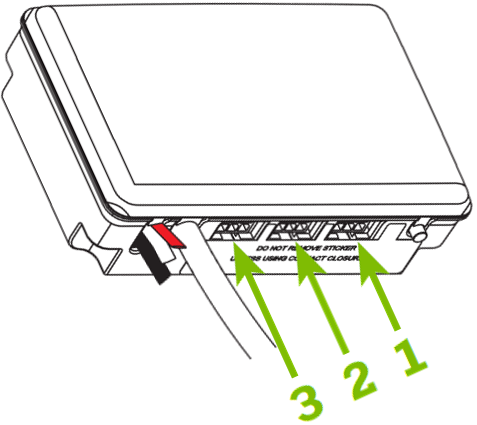
Not all 3 ports will be used in each installation. The most popular application will be a grid connection plugged into Port 1. This will be helpful showing and logging energy consumption. If additional CTs are installed, choose the correct usage. If a CT channel is not used, choose Not Used.
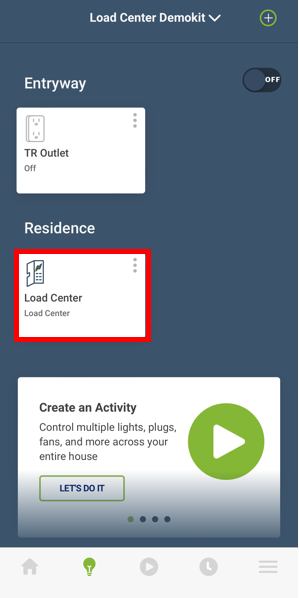
To setup a CT channel choose the Load Center from the Devices menu (lightbulb).
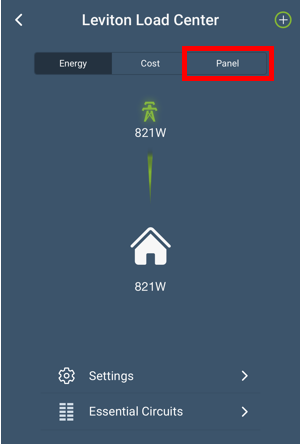
Choose the Panel option.
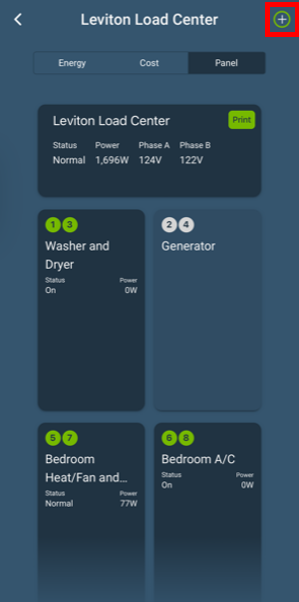
Choose the + in the upper right corner.
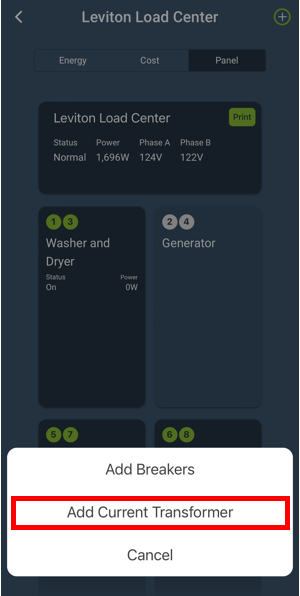
Choose Add Current Transformer
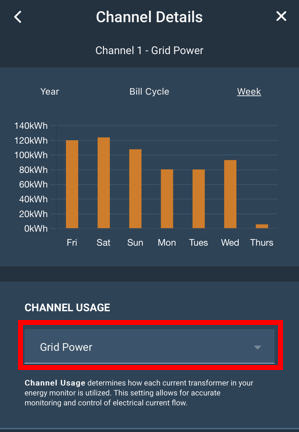
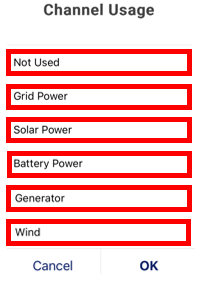
Choose the Current Transformer use.
- The most popular applications are shown
- Each usage listed below generates an icon that corresponds with energy usage
- Additional usages (not shown) are available and can be used for logging
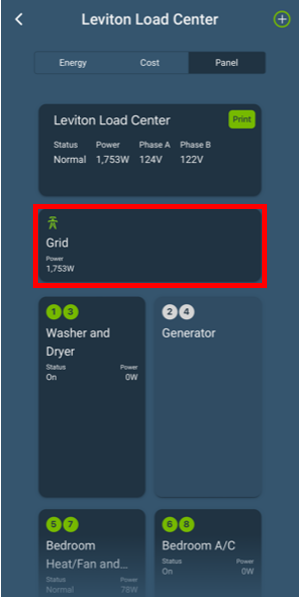
When complete the CT(s) will show in the panel view and the Dashboard.
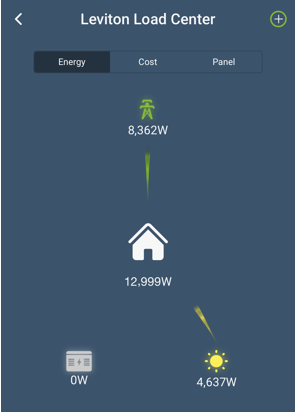
Note: If the Current Transformer readings do not appear correct, please review the article How to Diagnose Incorrect CT Readings.