
After you enroll your Wi-Fi devices into the app and place them in Rooms, you can easily change the order of the Rooms. Start by selecting the menu icon in the upper right corner of the screen.
How Do I Change the Order Of Rooms In My Residence?
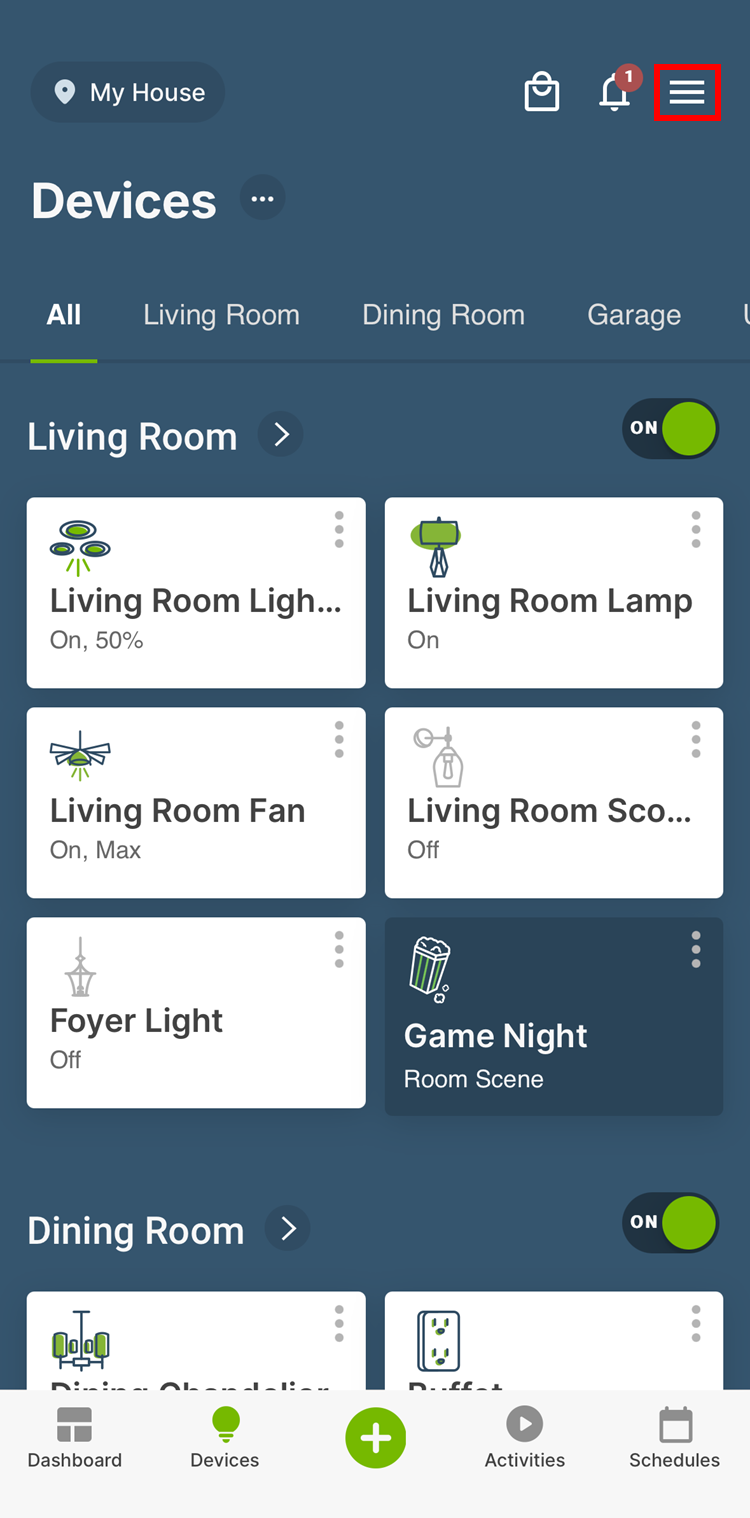
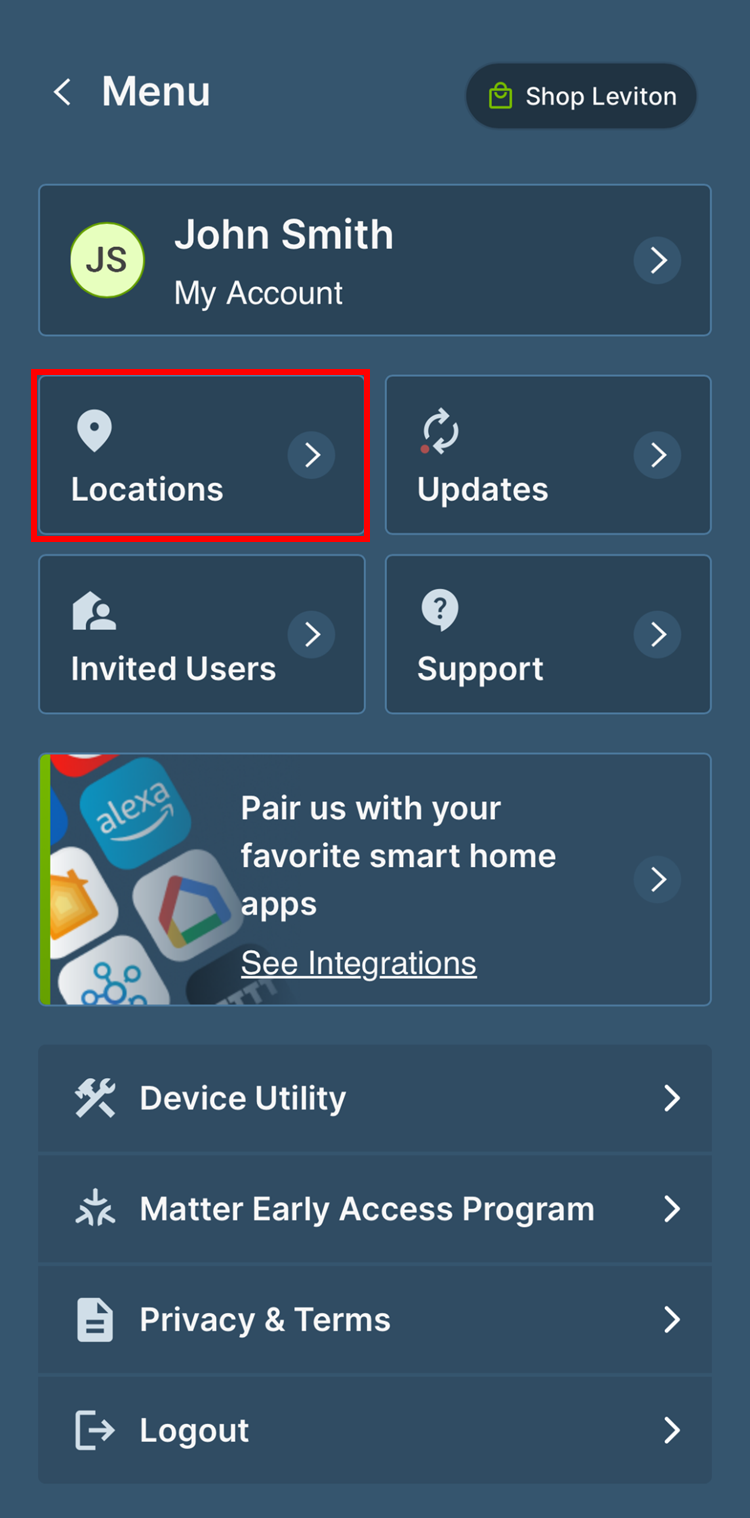
From the menu, select Locations and then the residence:
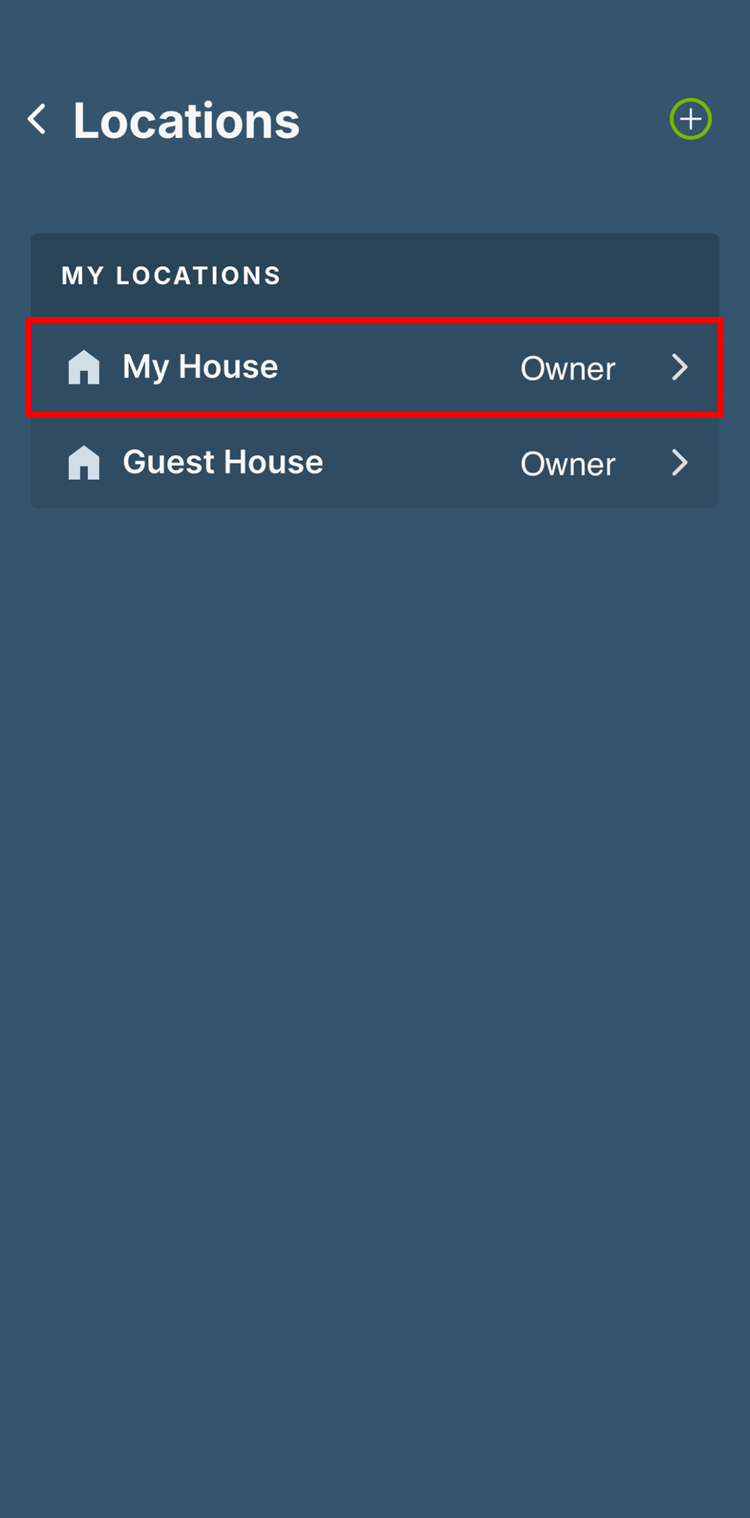
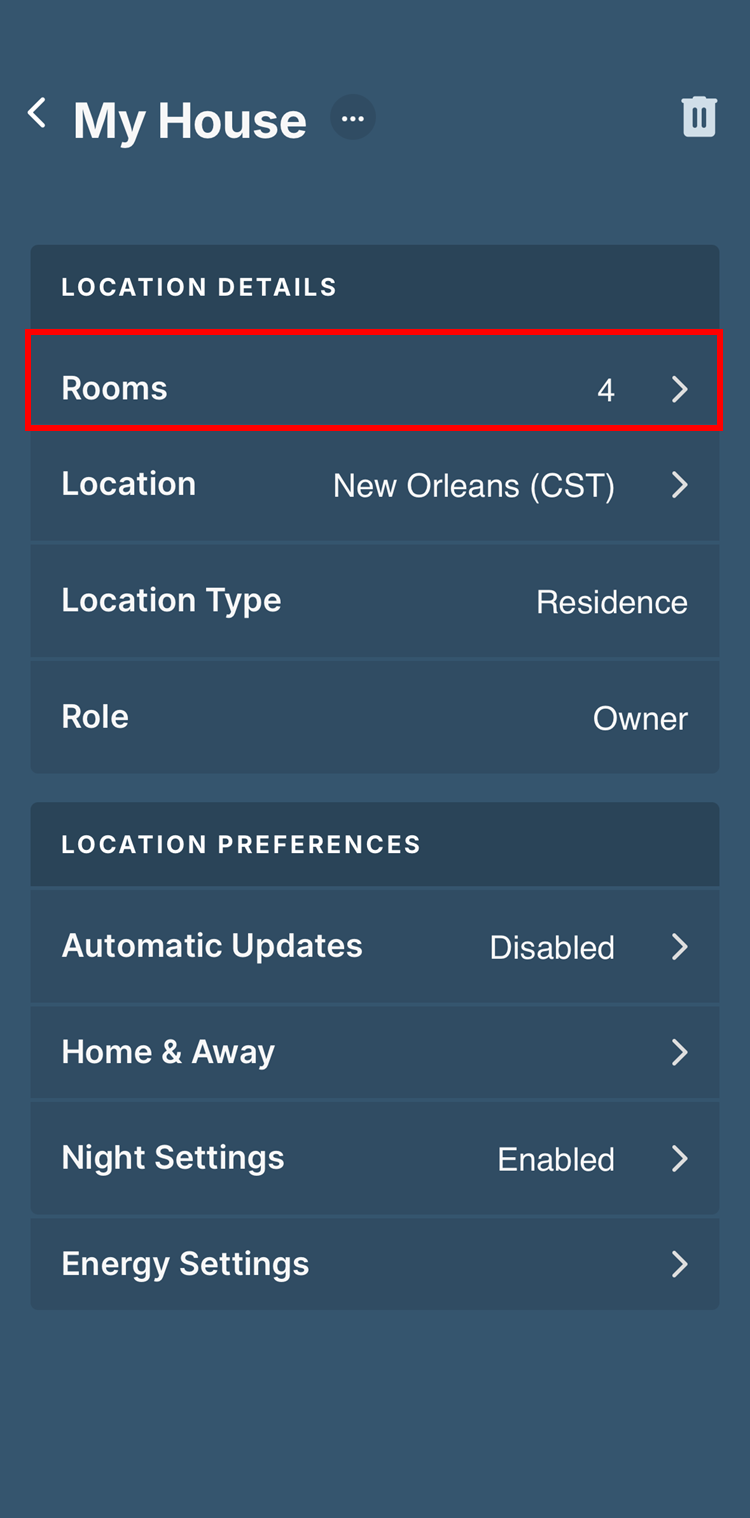
Select Rooms:
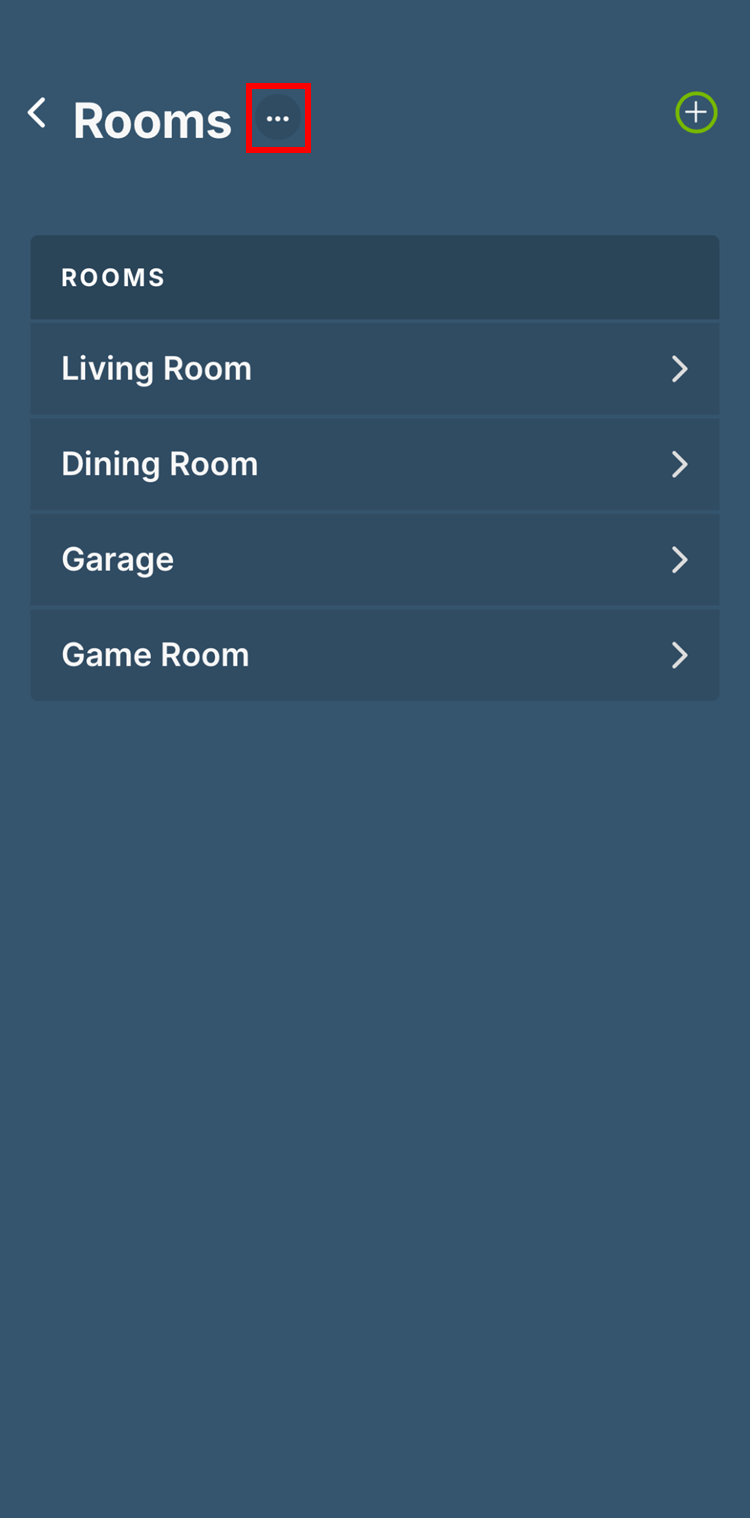
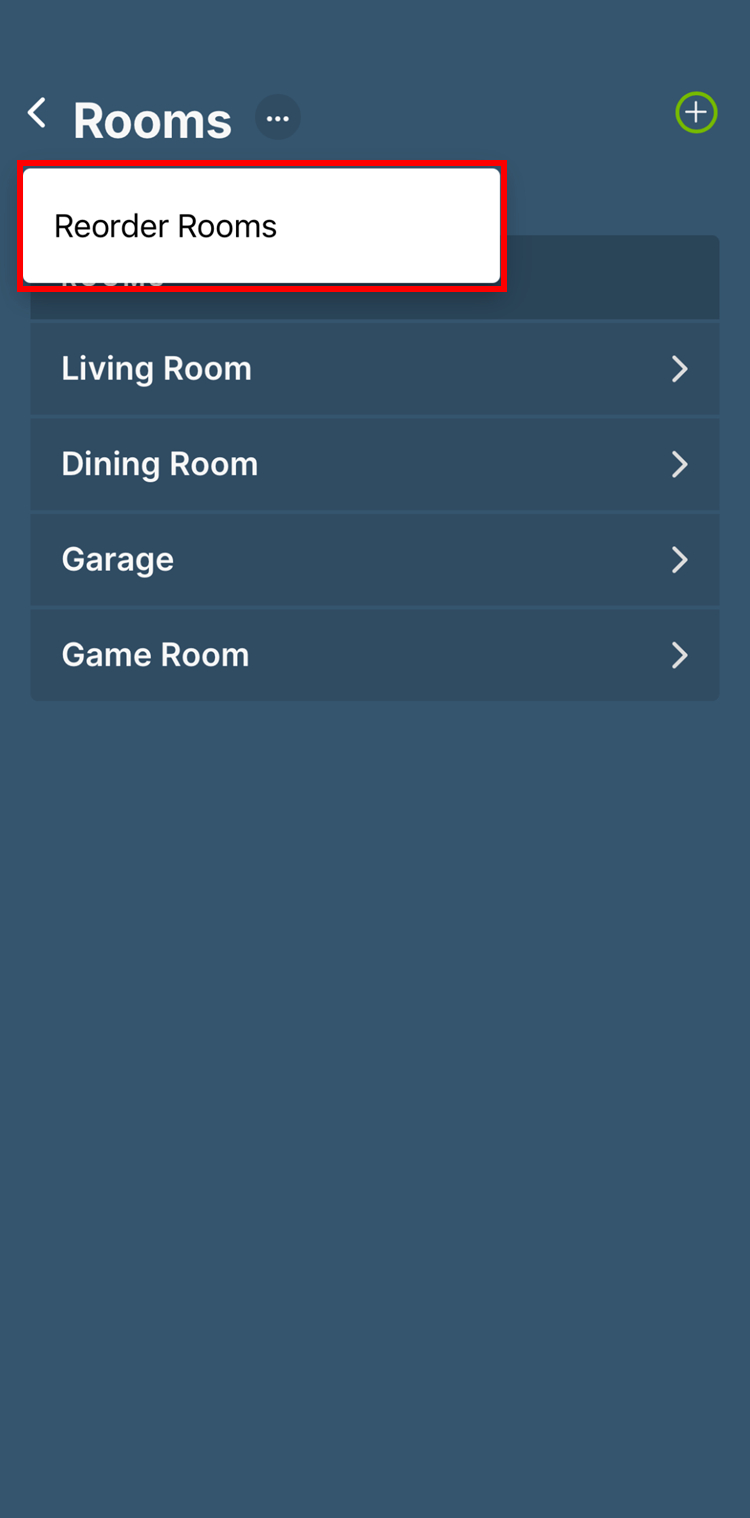
Tap the three dots next to the Rooms title and select Reorder Rooms:
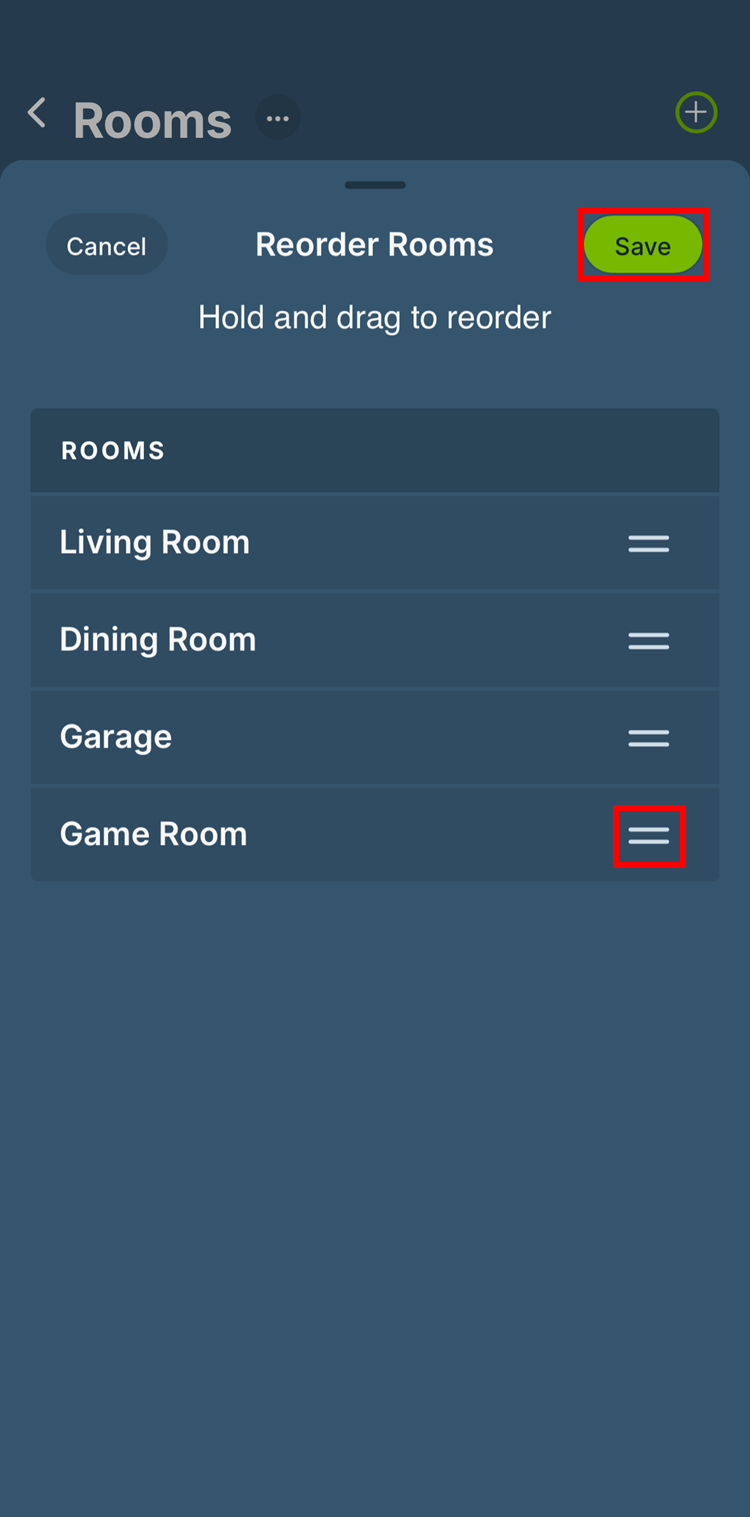
Using the Icon to the right of each Room, move the Rooms to your desired location in the order. Tap Done to save the new order:
If you wish to change the order of the items within a Room, please see the article: