Loading...
Back vs Side wiring

How To Wire a GFCI Outlet

Did you know you can back wire or side wire a Leviton electrical device such as a wall outlet, light switch, motion sensor or GFCINote - Not all devices have both options available.

Warning: Before wiring any electrical devices, make sure the power is turned off at the circuit panel and test with a voltage tester.


When stripping wires, use the gauge shown on the back of the device to measure the correct length.


When stripping wires, use the gauge shown on the back of the device to measure the correct length. Enough wire needs to be stripped so there is no insulation under the screw head.

Back Wiring

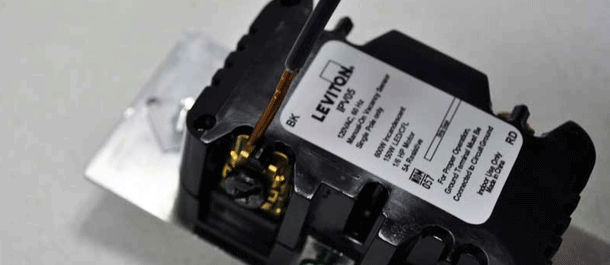
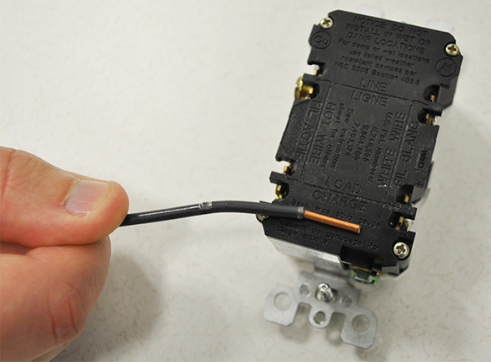
Back wiring a device is when the wires (Black, white, green, etc.) are slid under the terminal clamp to the appropriate screw.

Side Wiring

Back Side Wire

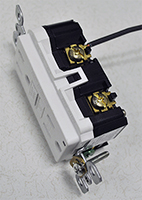
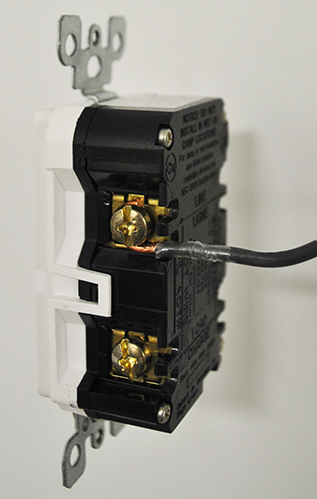
Side wiring a device is when the wires are attached using the side terminal screws. To do this, use a pair of pliers to bend the wire, creating a "fish hook", and place the hook around the appropriate screw. Tighten the screw so it holds the wire firmly in place.

Watch our video on How to Wire a Device Using the External Back Wire

Watch our video on How to Wire a Device Using the Side Wiring

GFCI Line/Load Reversal

This video explains how to properly install a GFCI receptacle and avoid a common wiring mistake called line‑load reversal. The line wires bring power from your home’s electrical panel to the GFCI, while the load wires carry power from the GFCI to other outlets downstream. Each set of wires must be connected to the correct terminals on the device.

If the line and load wires are mixed up, the GFCI will not provide proper protection. Leviton Smartlock Pro GFCIs include a built‑in safety feature that prevents power from turning on if this wiring mistake occurs. Fortunately, the fix is simple—rewiring the GFCI correctly will restore normal operation. 

Helpful Tips

  • Always follow the installation instructions and diagrams included with your GFCI receptacle.
  • Leviton provides step‑by‑step GFCI installation videos and additional support at Leviton.com.