Loading...

How Do I Factory Reset Leviton Load Center, Smart Breakers, and Metering Accessories?

If you are removing the panel (LWHEM or LDATA) from the My Leviton app as a troubleshooting step, please call technical services for assistance, you should not need to reset the hub or breakers. 

Factory Reset should be used when a smart breaker or metering accessory cannot be enrolled into the My Leviton app. 

To begin a factory reset: 
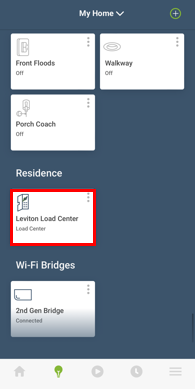
Reset

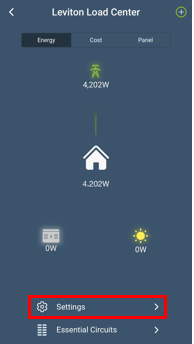
Enter Settings:

Reset

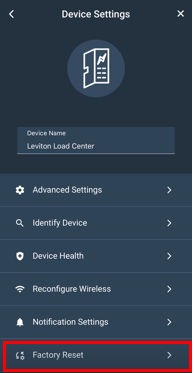
Enter Factory Reset:

Reset

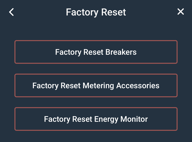
There are three options for factory Reset:

  • Breakers - Reset Gen 1 or Gen 2 Breakers
  • Metering Accessory - Reset LSBMA's
  • Energy Monitory - Reset LWHEM or LDATA 

All three reset procedures follow the same approach.

  • Choose the item to Reset
Reset

Remove power to the item being reset, pause and then restore power

  • Smart breaker - flip the handle to off then back to on
  • LWHEM, LDATA or LSBMA - flip the handle on the breaker suppling power to off then back to on 
  • Multiple items of the same type (Breakers, LDATA, LWHEM or LSBMA) can be reset at the same time
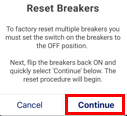
  • Press continue in the app
Reset

The reset procedure will begin

Reset

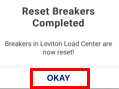
Once complete the reset is confirmed

Reset